Your own Bitcoin node.
In your pocket.
Not a light client. Not SPV. Not a front end to somebody else's server. The actual bitcoind binary, cross-compiled for arm64, running natively on your phone. Your keys. Your node. Your rules.
The app currently shows a small number of ads to fund development — here's the plan to remove them.
Most wallet apps ask you to trust someone.
This one doesn't.
Every "node-connected" wallet still talks to a server somebody else controls. This app removes that server from the equation entirely.
Custodial apps ✗
They hold the keys. You have an IOU. If they freeze, you wait — or worse.
Light wallets ✗
SPV and Electrum-style clients trust someone else's node to tell them the truth about balances and history.
This app ✓
The full node is the app. Every block is validated by Bitcoin Core running on your own hardware. Verify, don't trust.
Lost a wallet passphrase?
There is a way back.
Our recovery team tackles forgotten passphrases across the whole legacy-wallet graveyard — including the weak-RNG era that makes many "impossible" cases possible.
All major wallets
Bitcoin Core wallet.dat, Blockchain.info wallet.aes.json, MyEtherWallet & 2014 Ethereum presale, MetaMask, Electrum, Dogechain, Litecoin-era web wallets, BIP38, MultiBit/Armory, hardware-seed passphrases.
Randstorm-era advantage
JavaScript wallets created 2011–2015 used a flawed browser RNG. Those keys are weaker than they were meant to be — which can make recovery realistic even with a forgotten password.
Your secrets stay yours
Nothing ever needs to leave your hands. Work happens on what you choose to share, under NDA, with your own security counsel welcome. Fee: 35% on success — $0 if we fail.
A full node and a wallet.
Nothing borrowed.
Everything runs on-device. No trusted backend, no cloud, no accounts.
01 Real node, real validation
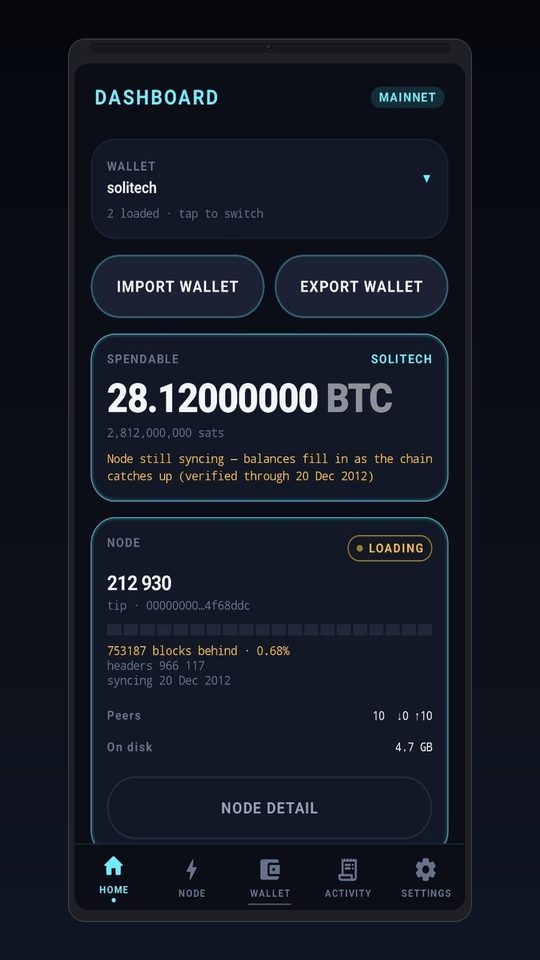
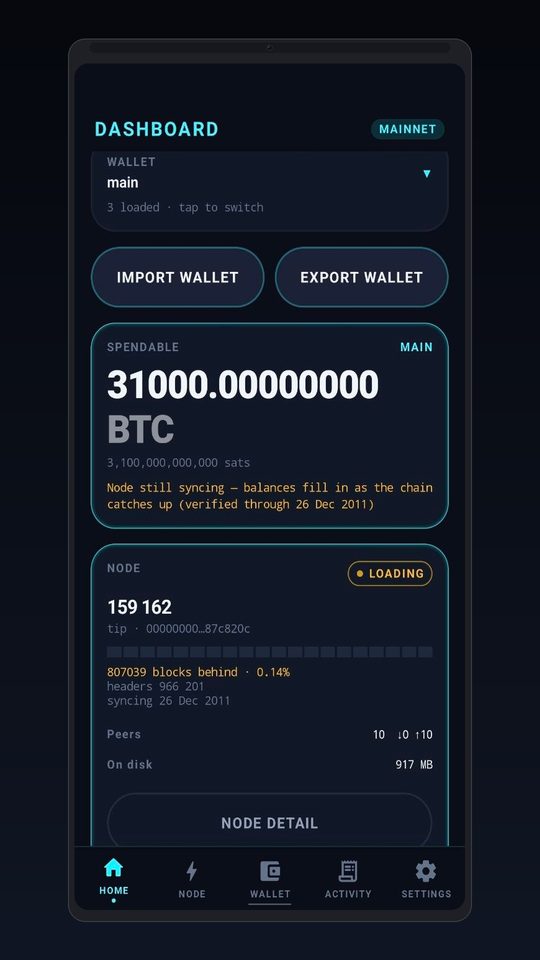
Bitcoin Core 30.3 compiled for arm64 runs as a child process. Your phone joins the network as a first-class citizen.
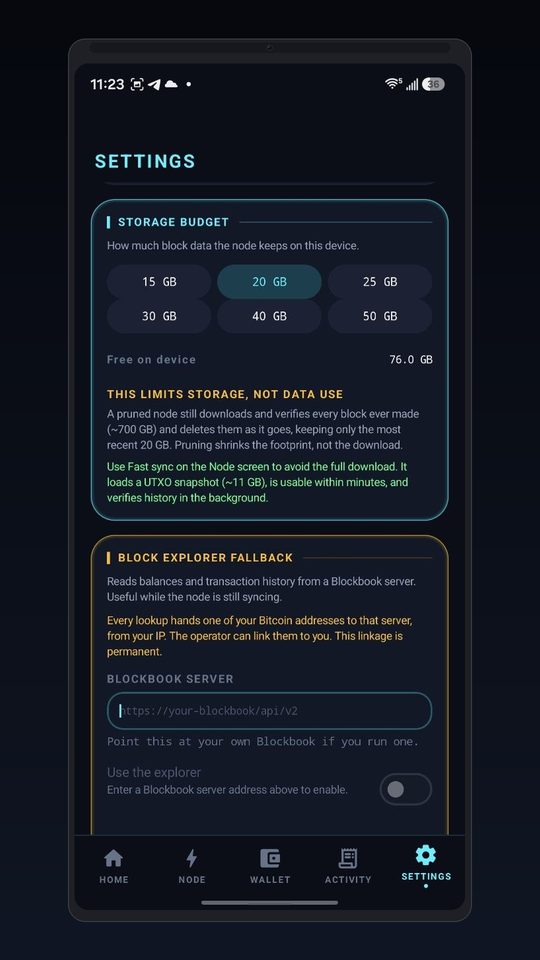
- Pruned full node — pick a storage budget: 15, 20, 25, 30, 40 or 50 GB
- Fast sync from UTXO snapshot (~11 GB) — usable in minuteshistory verifies in the background
- 10+ P2P peer connections, live peer inspector
- Mempool viewer with real-time unconfirmed traffic
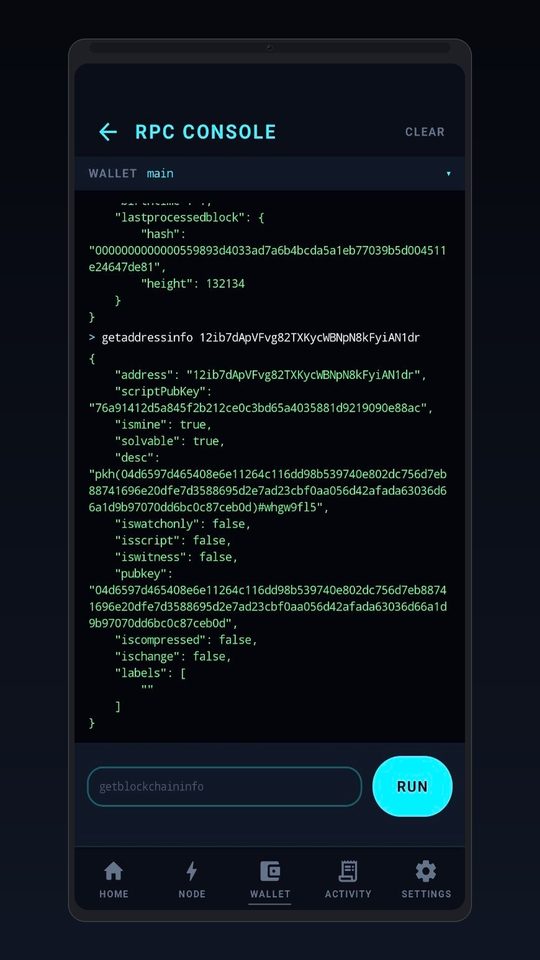
- Full RPC console — raw commands, exactly like bitcoin-cli
02 Self-custody wallet
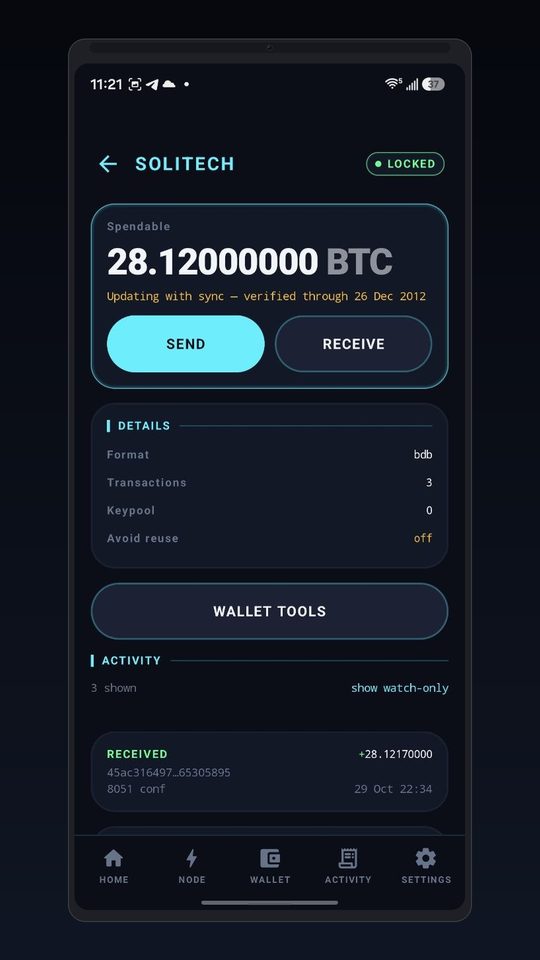
Keys are generated and stored on the device, encrypted by Bitcoin Core with your passphrase and guarded by the Android Keystore.
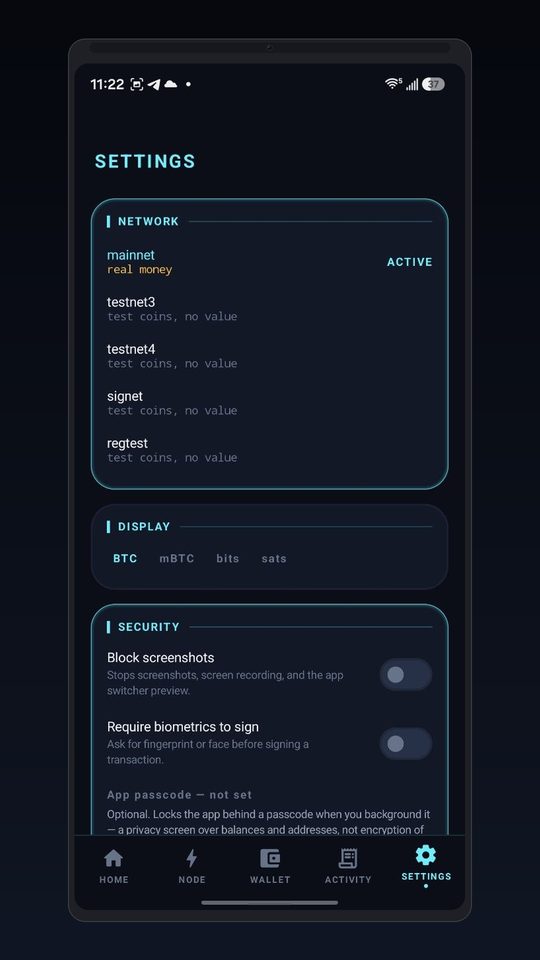
- Send & receive on mainnet, testnet3, testnet4, signet and regtest
- Coin control, RBF fee bumping, PSBT signing
- Multiple wallets — load, switch, import (WIF, dumpwallet)
- Backup to local documents — your file, your storage
- Watch-only addresses for cold storage monitoring
03 Or bring your own node
Already run a node at home or on a VPS? Point the app at it over Tor. One RPC client, two transports — every screen works identically against either.
- JSON-RPC over Tor (via Orbot) to your node anywhere
- Optional Blockbook explorer fallback while syncingwith an honest privacy warning before you enable it
- Background sync keeps running when you minimizecontrollable from the persistent notification
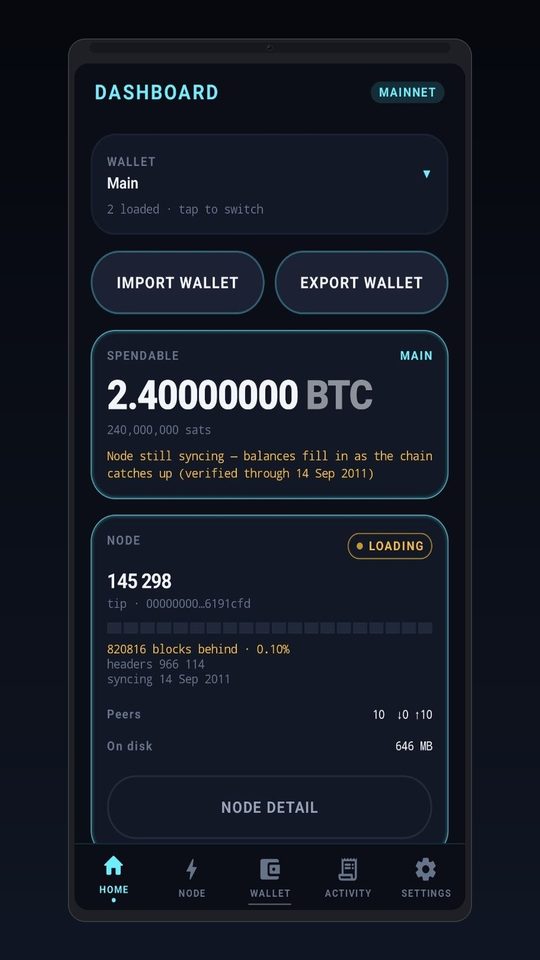
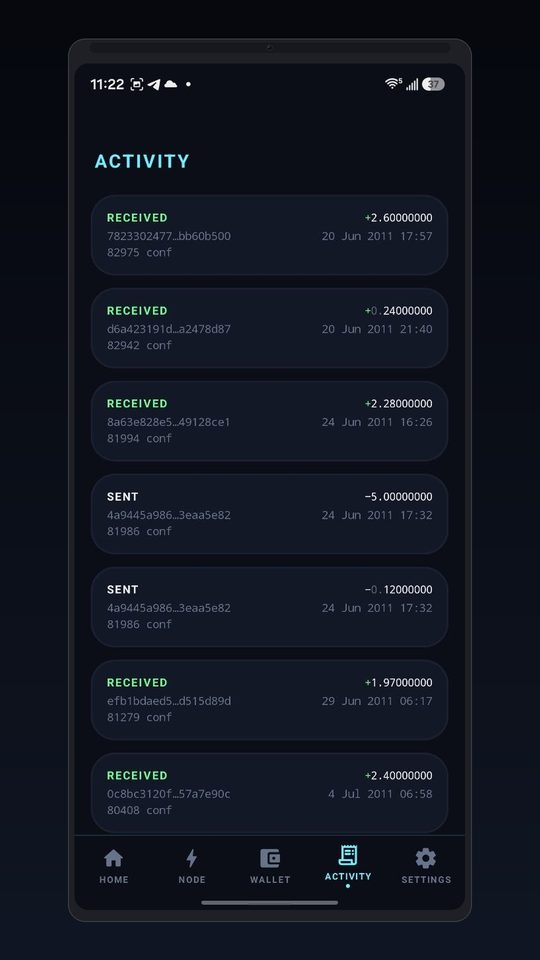
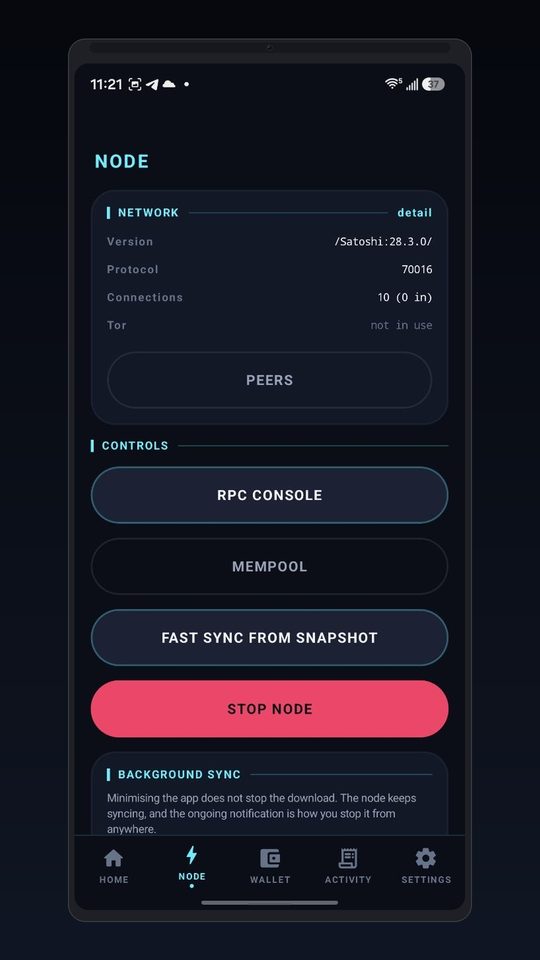
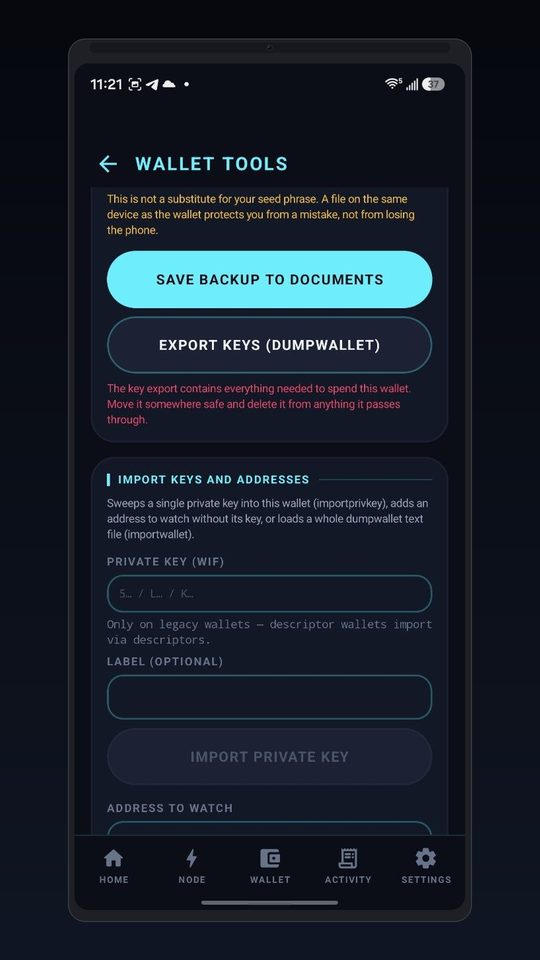
Ten screens. Zero fluff.
A cyberpunk HUD built for people who actually read the output.
Architecture, honestly stated.
One RpcClient interface, two transports.
The UI never knows — or cares — whether the node is in your hand or across the world.
┌─────────────────────────────────────────────┐
│            Jetpack Compose UI (Kotlin)        │
│   dashboard · node · wallet · console · …   │
└──────────────────┬──────────────────────────┘
                   │  ViewModels · Hilt DI · Room
┌──────────────────▼──────────────────────────┐
│              Core layer                       │
│   RpcClient ──► transport A: 127.0.0.1      │
│             └──► transport B: Tor (Orbot)   │
└──────────────────┬──────────────────────────┘
                   │  JSON-RPC
┌──────────────────▼──────────────────────────┐
│   libbitcoind.so — Bitcoin Core 30.3        │
│   real bitcoind · arm64 · child process     │
│   P2P peers · full validation · wallet      │
└─────────────────────────────────────────────┘
| Layer | Technology |
|---|---|
| Language | Kotlin 2.1 · JVM 17 |
| UI | Jetpack Compose · Material 3 · custom dark theme |
| DI | Hilt 2.56 (Dagger) |
| Storage | Room · DataStore |
| Network | OkHttp · kotlinx.serialization |
| Background | Foreground service · WorkManager |
| Security | AndroidX Biometric · Android Keystore · screenshot blocking |
| Node payload | Bitcoin Core 30.3 · arm64-v8a · unpatched source |
| Build | Gradle 8.9 · pinned version catalog · R8 · Play App Signing |
Projects we build.
Tools from the same workshop — built for the people who verify.
VanityMetal
A GPU vanity-address engine for the Mac, written from scratch in Swift and Metal. Runs on Apple silicon (M-series) and the Intel / AMD GPUs in T2 Macs — where CUDA-only tools can't. Every hit is re-derived on the CPU before it appears. Zero dependencies. MIT.
vusi
ECDSA signature vulnerability analyzer. Extracts (r, s, z, pubkey) tuples from raw Bitcoin transactions and runs nonce-reuse attacks — GPU-accelerated through Metal on Apple Silicon and T2 Macs, with a native desktop GUI. Fork of oritwoen/vusi, MIT.
ATXQU
Address Transaction Query Utility — a local, dependency-free web app that finds every spent transaction of a Bitcoin address and streams them into one combined JSON file. The data-acquisition front-end to vusi. Python stdlib only. MIT.
More in the workshop
The self-custody wallet on this site, the recovery tooling behind our service, and the engines that power both — all built in-house, all documented. Follow the GitHub for what ships next.
What leaves your phone: nothing.
The complete privacy policy ships in the repo. Short version:
No analytics or telemetry
No crash reporting, no update checks, no advertising IDs, no tracking SDKs. There is nothing to opt out of.
Keys never leave the device
Generated on-device, encrypted by Bitcoin Core with your passphrase, further protected by the Android Keystore.
No server, no account
The app has no backend. There is nobody to subpoena, nobody to breach, nobody to trust.
Tor-ready
Remote node connections go over Tor via Orbot. P2P traffic speaks the Bitcoin protocol, nothing more.
Screenshot blocking
Optional mode stops screenshots, screen recording and the app-switcher preview.
Honest about trade-offs
The optional Blockbook fallback warns you in plain language that it links your addresses to your IP. Permanently.
Questions people actually ask.
Is this really a full node?
Yes. The app ships the actual bitcoind binary — Bitcoin Core 30.3, cross-compiled for arm64 — and runs it as a child process on your phone. It connects to the P2P network, downloads and validates blocks against consensus rules, and serves wallet RPCs. It is not SPV, not Neutrino, not a wrapper around someone else's server.
You can verify the node is real: open the RPC console and run getblockchaininfo.
How much storage do I need?
Your call. The node is pruned — you choose a storage budget from 15 to 50 GB. It still downloads and verifies every block ever mined (~700 GB of traffic processed) but only keeps the most recent blocks on disk.
In a hurry? Fast sync loads a UTXO snapshot (~11 GB) and the wallet is usable within minutes while history verifies in the background.
Does it drain my battery?
Initial sync is the heavy part. After the node catches up, idle resource use drops dramatically. You can stop the node any time — from the app or from the persistent notification — and a Stop button is always one tap away on the Node screen.
Where are my keys stored?
On your device, in app-private storage. Wallet files are encrypted by Bitcoin Core with your passphrase; the Android Keystore adds device-level protection. There is no cloud backup — that is a feature, not a bug. Use Wallet Tools to export a backup file and store it wherever you control.
Can I connect it to my own node instead?
Yes. Point the app at any Bitcoin Core node you control — at home, on a VPS, anywhere. Connections go over Tor (via Orbot) so your phone never reveals its IP to the node. Every screen works identically against a local or remote node.
Which networks are supported?
Mainnet, testnet3, testnet4, signet and regtest. Balances display in BTC, mBTC, bits or sats.
Why does the Play Store listing mention pruning?
Because it matters: pruning limits how much chain data is stored, not how much is verified. The app explains this on the storage settings screen — a pruned node still validates the entire blockchain, it just doesn't keep every historical block on disk.
Verify, don't trust.
Self Custody Bitcoin Wallet is on Google Play. No subscription, no account — and nothing to sign into. A few unobtrusive ads currently fund development, with the goal of removing them entirely.
Android 9.0+ · arm64 device · 15–50 GB storage budget recommended
Apps we build for clients.
Fintech, VTU, e-commerce, delivery, Islamic apps — every industry, same engineering standard. Try the live interactive demos right in your browser.